
Introduction
Running virtual meetings while recording is tiresome. Planning and marketing virtual meetings, as well as producing video content from those recorded meetings, and above all delivering could be quite overwhelming. The secret sauce to make meeting delivery easier is to use a rinse-and-repeat technique.
Problem
While the main problem is delivering meetings, the major pain point of that problem is delivering those meetings efficiently and consistently. Repeating the same steps using a script is the only way to tackle it. A well-designed PowerPoint slide deck with meeting notes that you can repeat every time is all you need.
What you would need here is to identify what are the commonly used sentences and phrases, write this script into slide deck notes, and just repeat that script by reading it every time while perfecting it.
Solution
Introducing LA Data Platform PowerPoint (“PPT”) slide deck. The following PPT slide deck includes the script as a slide note to make your virtual meeting more consistent, repeatable, and predictable.
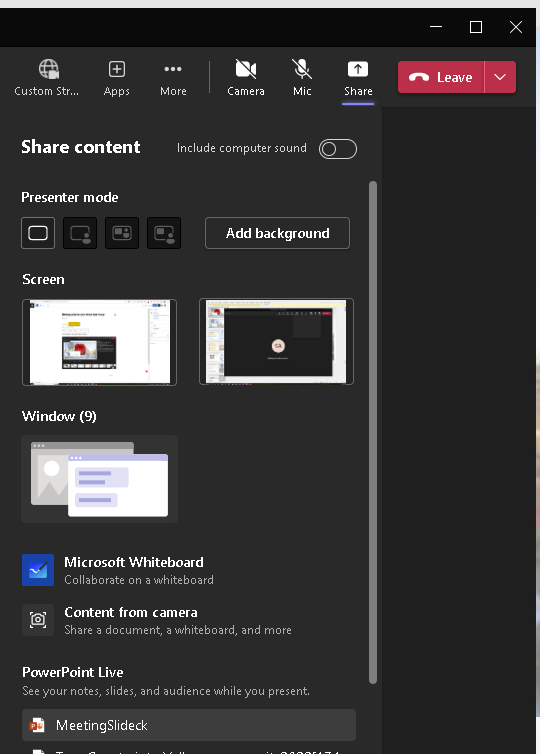
How do you use it during the meeting? Just use the PowerPoint Live option in MS Teams (Fig #1) and select your PPT slide deck.
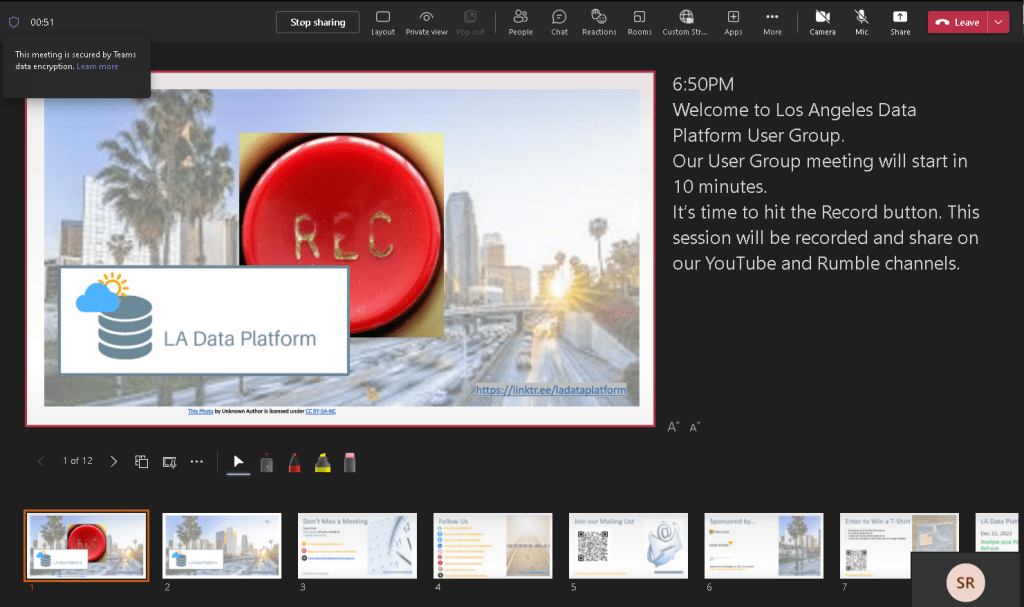
This will allow you to share slides with attendees while keeping your “teleprompter” notes to yourself (Fig #2).
Enjoy it!





















 Data Driven Technologies (DDT)